BlueMode

Blue Mode Signals Group

Link your Exness account and join the group

The signals are for traders with an Exness account linked to Blue Mode. It only takes a few minutes. Choose your case:

Case 1

Open a new Exness account

Your account is linked to Blue Mode automatically when you open it with this link.

  1. Open your account with the link provided

    Always use this button. If you open the account any other way, it won't be linked to Blue Mode.

    Open an Exness account →
  2. Verify your identity

    In the app or your Personal Area, upload the ID document and proof of address that Exness asks for.

  3. Take a screenshot of your account

    A screenshot of your Personal Area showing your email or account number.

  4. Send your proof in the form below

    Go to the form ↓

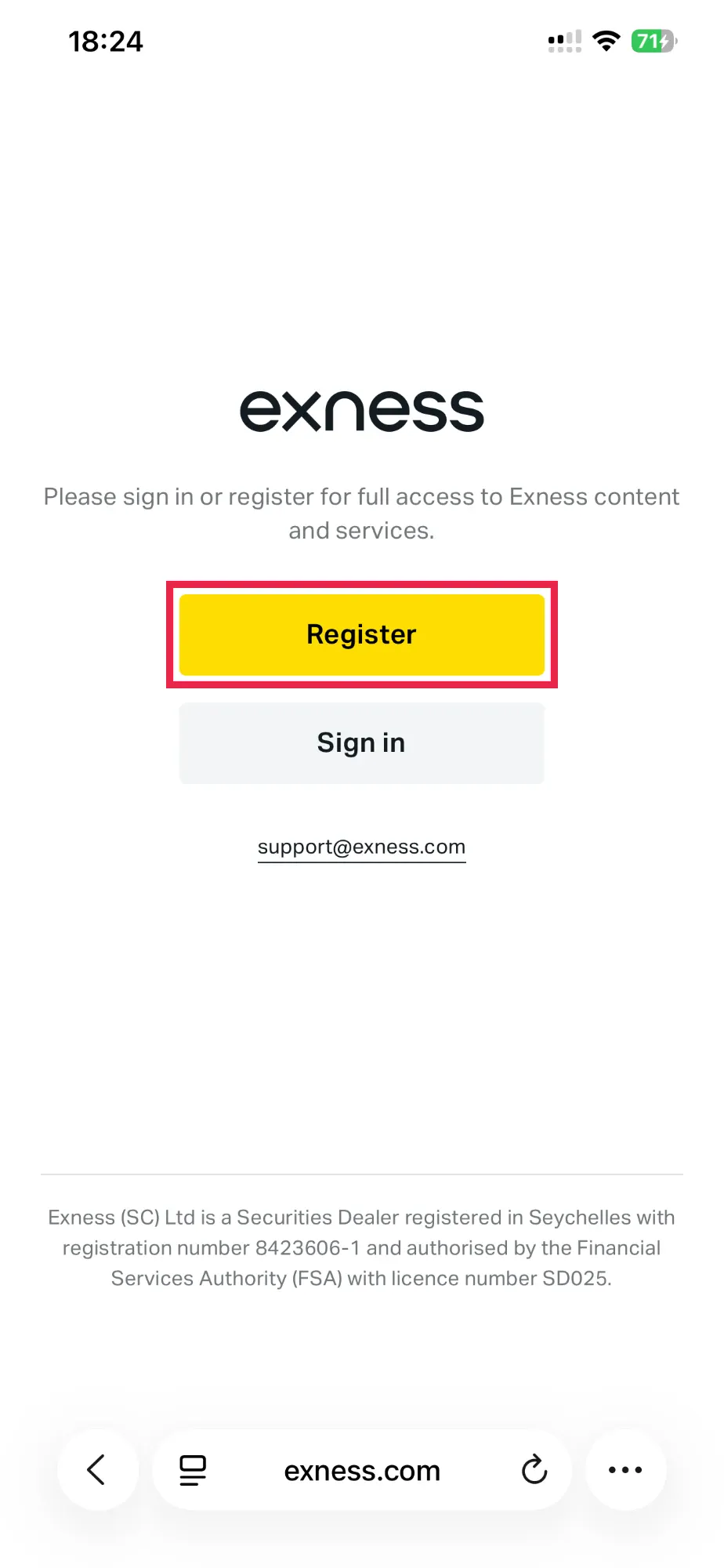
Exness page with the Register button
1 · Tap Register
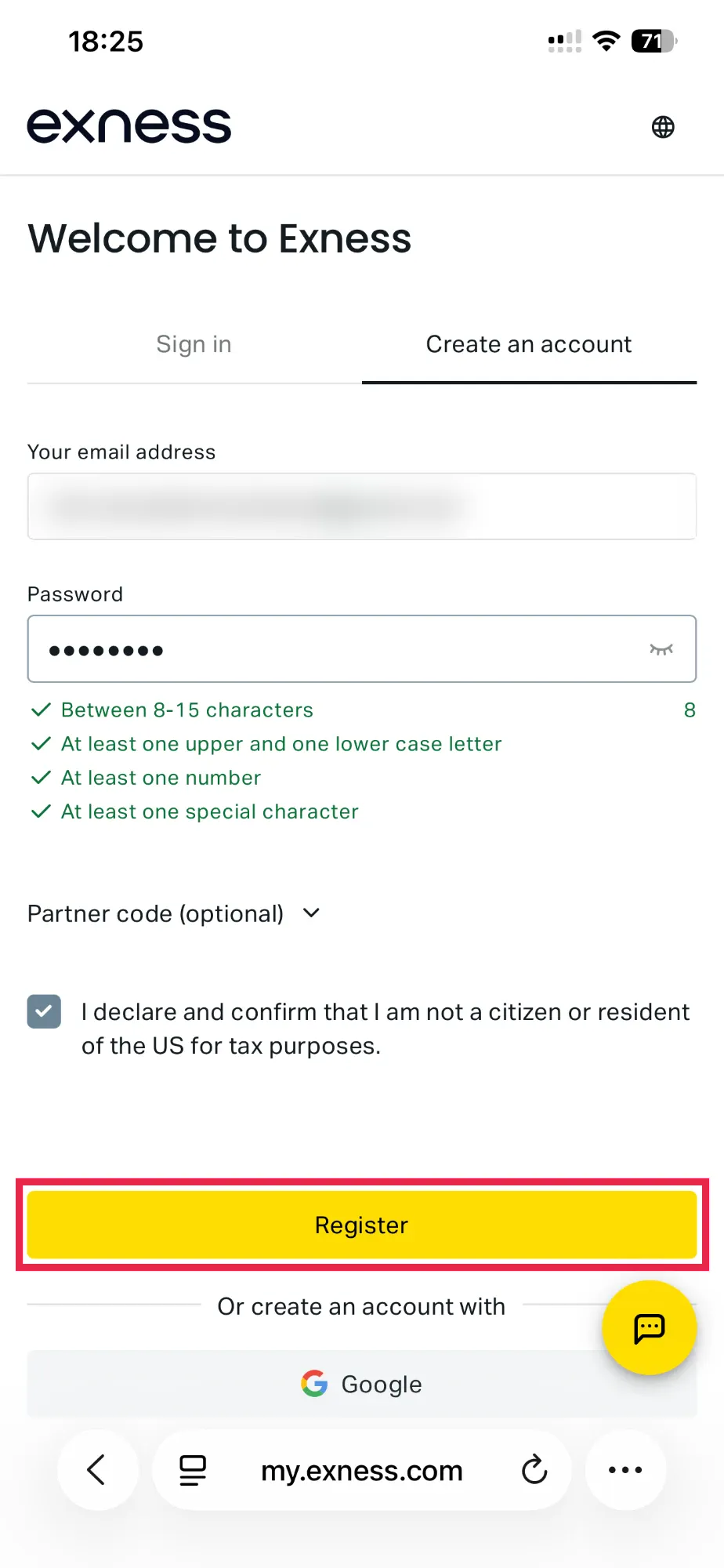
Exness Create an account form
2 · Fill in and tap Register
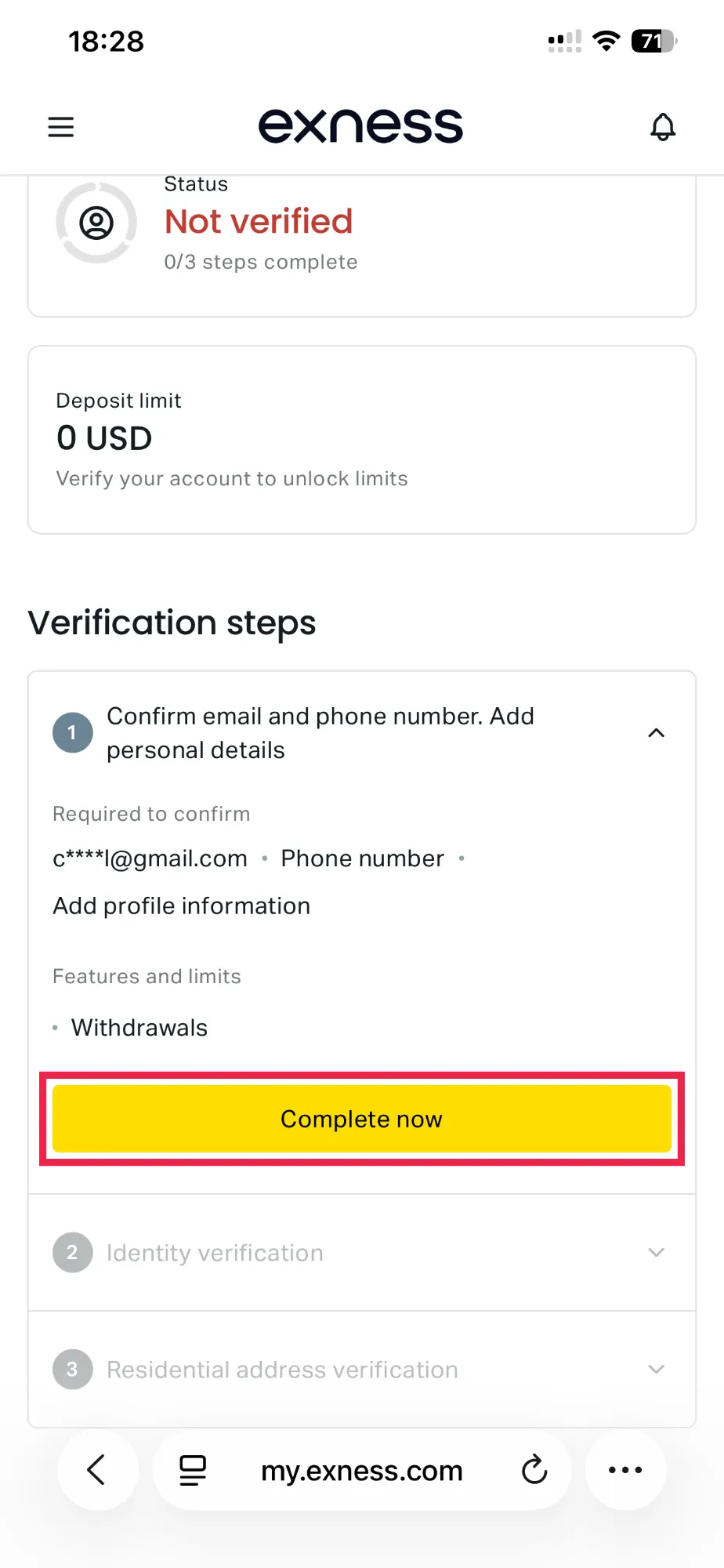
Exness account verification steps
3 · Verification → Complete now
Case 2

Already have an account? Switch your partner to Blue Mode

You keep the same account. You just ask Exness to link it to Blue Mode.

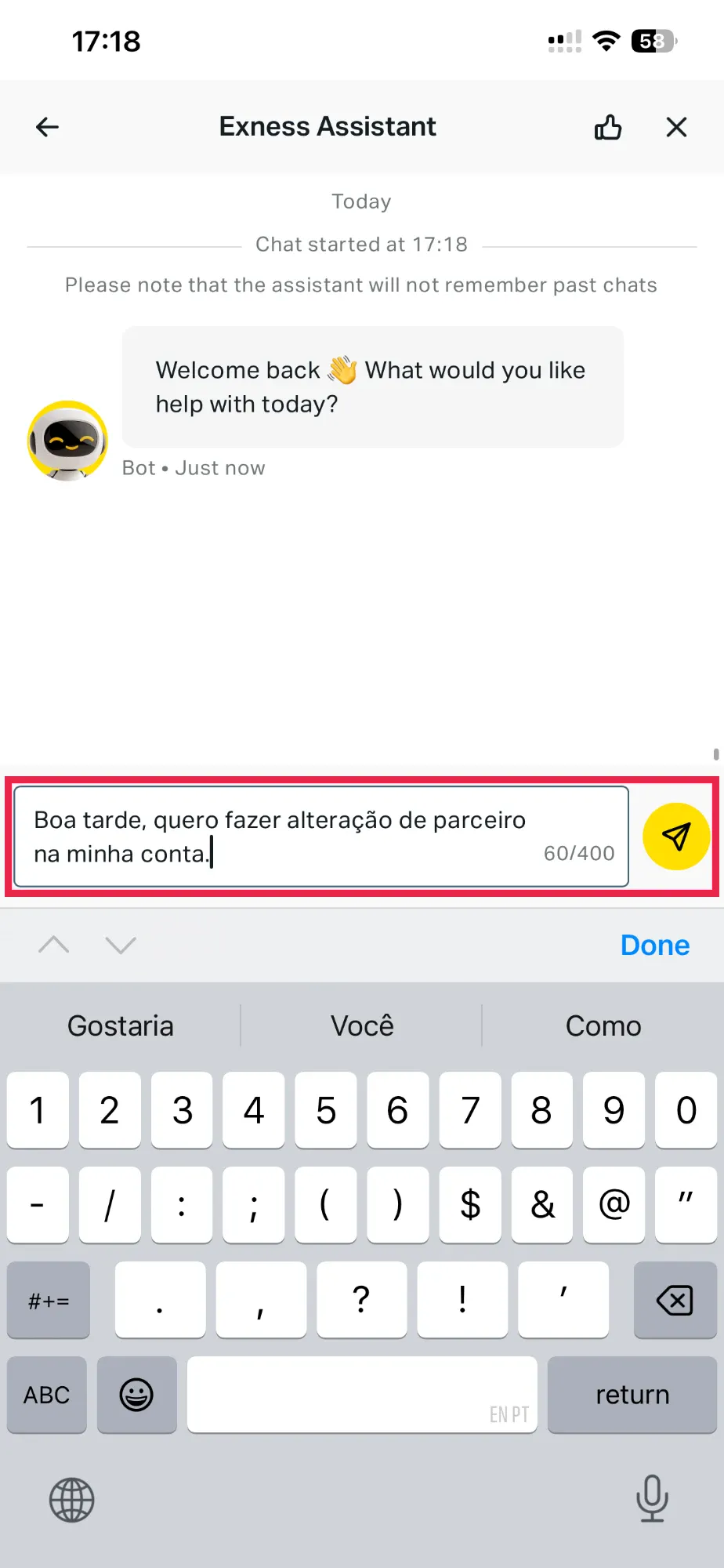
  1. Open Exness LiveChat

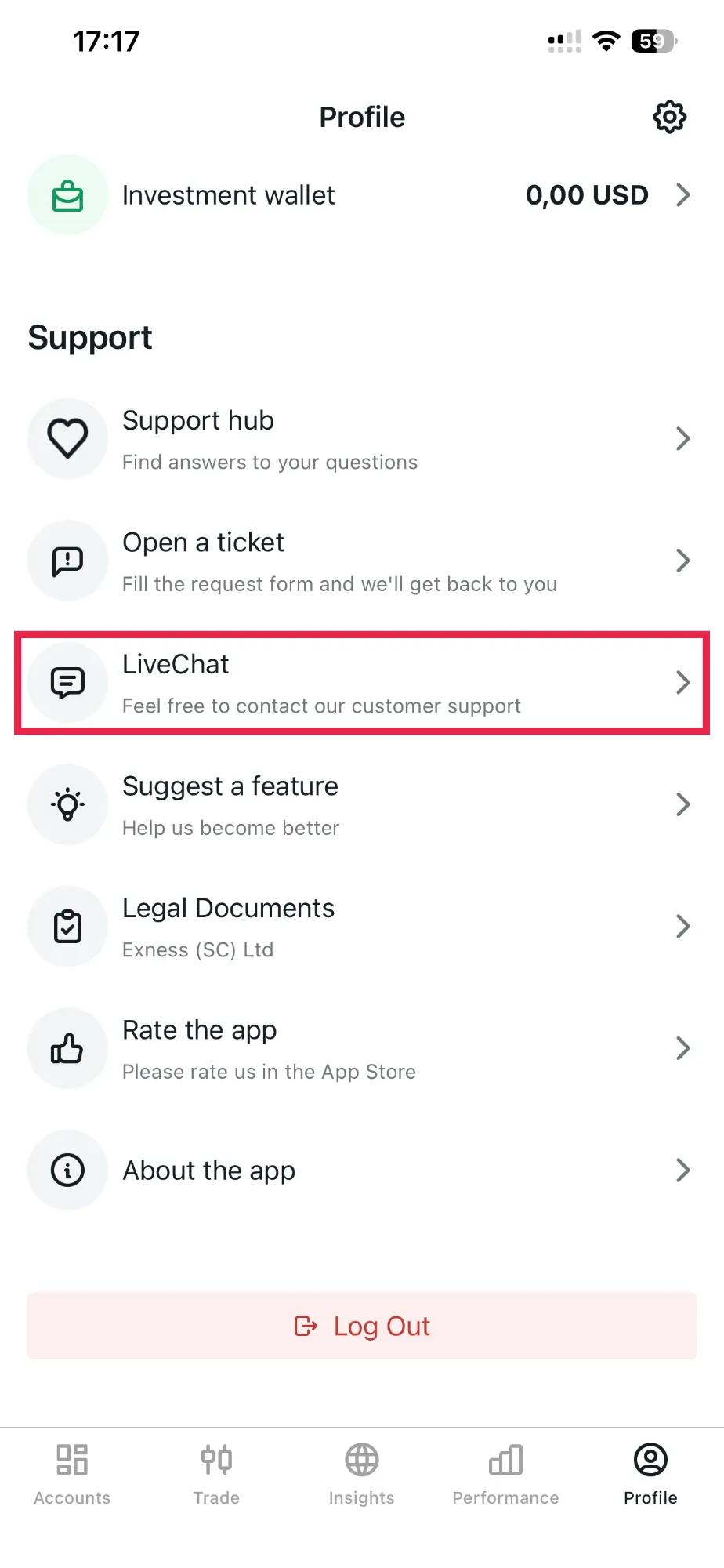
    In the Exness app: Profile (bottom right) → LiveChat.

  2. Send this message

    Hello, I would like to change the partner on my account.
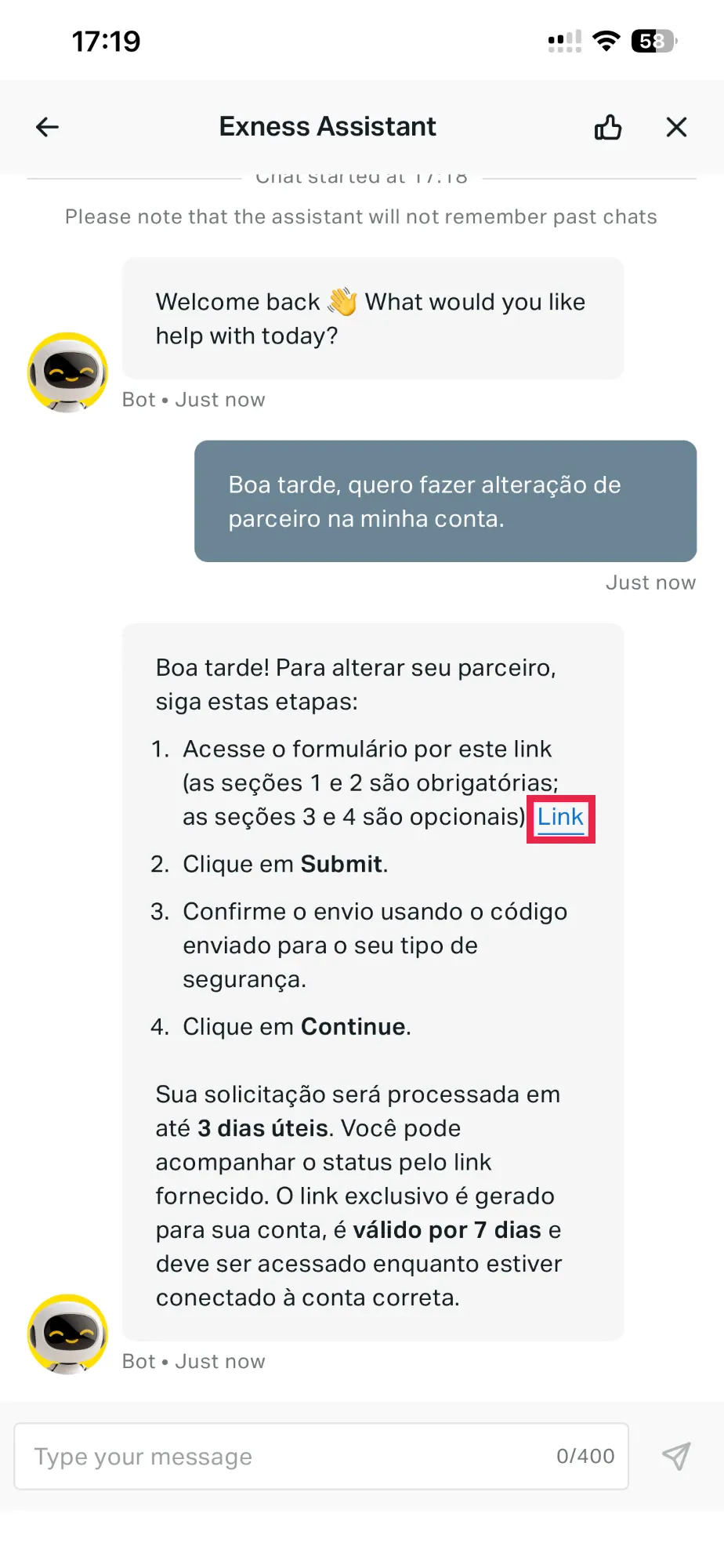
  3. Fill in the form the assistant sends you

    The assistant replies with a link. Open it and fill in the Partner change form:

    • Select reason for partner change: choose the reason that fits you best.
    • New partner's link or wallet account number: paste this link:
      https://one.toexness.com/a/un16if3c
    • Where did you find your new partner? leave it blank (it's optional).
    • Leave a comment: optional, you can leave it empty.

    Then tap Submit, confirm with the code you receive and tap Continue.

  4. Take a screenshot of the confirmation

    A screenshot of the screen that appears after you submit the request.

  5. Send your proof in the form below

    Go to the form ↓

Exness app: Profile, LiveChat option
1 · Profile → LiveChat
Message asking for a partner change in the chat
2 · Send the message
Assistant reply with the form link
3 · Open the link and fill it in

Important: the Exness form link is valid for 7 days and must be opened while signed in to the right account.

Last step

Send your proof

After you send it, you'll get the signals group link. Your request waits in the join queue and we approve it once your account link is confirmed.

FAQ

Why do I need to link my account to Blue Mode?

That is how we keep the signals group free.

How long does the partner change take?

Exness handles the request quickly. You can follow its status through the link the assistant sends you.

I sent the form. What now?

Request to join the group with the link you received. We confirm your account link and approve your request. If we need anything, we'll contact you on the Telegram you gave.

The Exness assistant didn't send me the link. What do I do?

Write again in LiveChat asking for a partner change, or open a ticket in Profile → Open a ticket. If you still have trouble, say so in the form and we'll help you.

Risk warning: trading Forex, CFDs and cryptocurrencies carries a high risk of loss and may not be suitable for everyone. The signals are educational and do not constitute financial advice.